
This post is not sponsored by Shard Tabletop; the thoughts expressed here are my own.
Virtual Tabletop (VTT) platforms are gaining some serious groundswell lately, and it seems like hardly a day goes by before a new one shows up on your news feed. Like any competitive market, you’ll also notice these new VTTs are, through their features list and accessibility, all after the same goal: to usurp Roll20 and Fantasy Grounds as king of the hill. When all of these platforms, through their competition, begin codifying certain features, like Dynamic Lighting, as “industry standard,” how does any VTT stand out from the rest?
For Shard Tabletop, the goal is simple: target the largest demographic (Dungeons&Dragons fifth edition) and create a service hyper-curtailed to that demographic’s needs. Ambitious, to be certain, but this model has the potential to curate a level of user experience unimagined by current offerings. But, does Shard Tabletop (hereafter called “Shard”) deliver on this goal, or does it miss the mark?
Before we can begin, you must keep the following details in mind:
- As of this writing, Shard is in a beta phase of development. Features discussed here may change prior to the full release.
- Shard is built for Dungeons&Dragons fifth edition; expecting to play Call of Cthulhu, Pathfinder, or Star Wars on this platform will leave you sorely disappointed.
- Though currently free, the developers have confirmed a payment model (specifics as of yet unannounced) will be established for the full release.
Lastly, this is not a system tutorial; I will provide mechanical details when necessary to explain a point, but no further. I may cover such a tutorial in the full release if warranted. For now, this is a pros/cons discussion of the Shard platform.
With that out of the way, let’s dive in!
The Pros
1) Character Creation
For all the Players reading this, I’m sure your chief question with this system is how easy it is to create a character and get started. My answer? It’s damn near perfect. I created a 4th Level Paladin, including picking my ability scores, equipment, proficiencies, spells, and even background information, in less than five minutes. No character sheet in Roll20, not even the custom-made ones, compare to this level of accessibility and flow. Every drop-down option you select or box you click feeds into the sheet, creating a sensation of watching your character come alive before your very eyes.
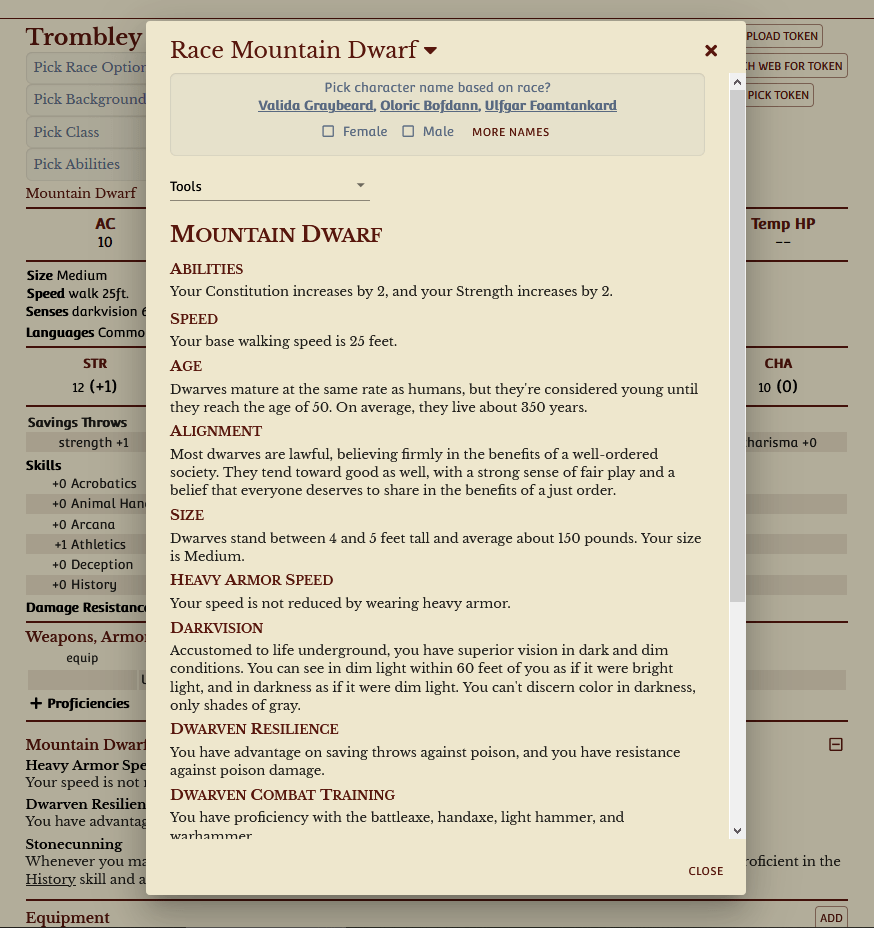
It even has a built-in token creator. You can download your own image (e.g. you had a custom piece of art created) or search online for relevant images based on your class and race/ancestry. You read that right; Shard pulls image results straight from the internet.
Massive kudos to the developers for getting this right from the jump.
2) Integrated Rules and Stats
The reason Pro 1 works so well is mostly due to this feature: all of Fifth Edition’s rules are baked into the system in a way that’s reminiscent yet more refined than Fantasy Grounds. You’re not thumbing through tabs in a compendium to haphazardly insert objects into separate sheets, instead everything you need (characters, monsters, treasures, and more) is resolved with one or two clicks of the mouse.
As an example, look at this stat sheet for the Knight.

I added this Knight, with all the bells and whistles, into my Shard game in less than 15 seconds. No joke. This mentality of quick and efficient Dungeon Mastering is SO refreshing and will guarantee a reduction in the amount of time you spend preparing for each session.
3) Integrated Web Search
Finding or creating maps is easily one of the greatest time sinks when preparing for your next session. Shard has, once again, simplified this problem (or at least the former half of it) by creating a built-in interface for locating the exact map you need by aggregating results from Google, Pintrest, Reddit, and others. Better yet, the images drop right into Shard, sparing your computer hard drive from the tens or hundreds of maps you’ll pull and then try to justify later.

As mentioned before, this same principle applies to creating creating tokens for NPCs, Monsters, and PCs. Though other VTT, like Roll20, have a similar feature, it feels more like an unsupported afterthought rather than a selling point of the platform. Clearly, Shard learned from this misstep and realized it’s a feature that deserves more focus.
4) Customization
Everything you use in Shard can be changed to your preference. Want to make initial Ability Score Increases based on class rather than level? Done. Want to create brand new races/ancestries with the same level of utilization? Easy-peasy. Metamagic? Meta Customizable. You get the deal.
Even better, you don’t have to start from scratch if you don’t want! Every option currently in Shard can be used as a template, allowing you to make one or two minor tweaks to the Barbarian, for example, without rebuilding the whole class. It’s powerful, yet easy to use; seems to be Shard’s modus operandi, yeah?
The Cons
1) Incomplete Tutorials
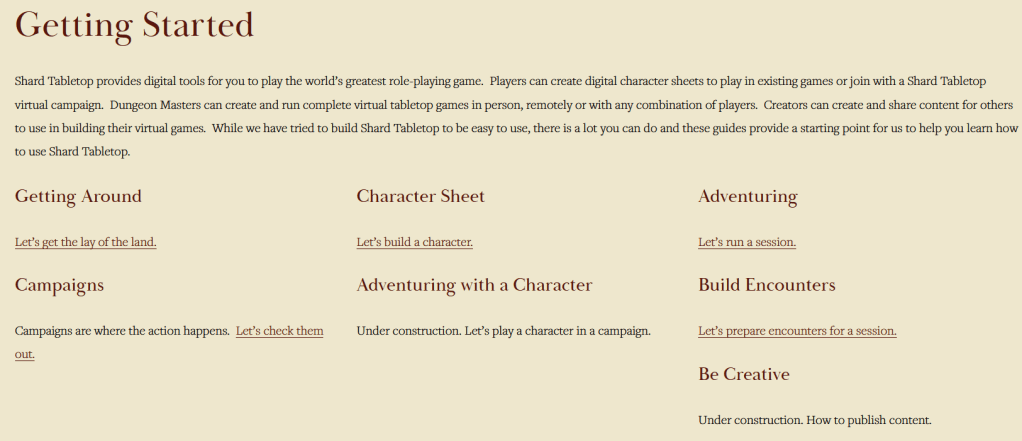
Though I’ve espoused a number of fantastic benefits Shard has to offer, and I haven’t even touched upon the use of Books, the tutorials to get your campaign up and running for the first time are hit or miss. Some portions, like the User Interface and features explanation in the Adventuring tutorial, are broken down into bite-sized pieces. Others, like the Encounters section of the Campaign Prep tutorial, are bulky blocks of text.
NOTE: It wasn’t until researching for this article that I realized the Campaign Prep tutorial is actually all about how to use Books, which was going to be a different Con.
For this Con, I think about the tutorials provided by Roll20 and can’t help but find the materials provided in Shard a bit lacking. While I am grateful some form of instructional material exists (it appeases the Technical Writer part of my brain), active tutorials (like in Roll20) or video instructions are rapidly becoming industry standard. With the platform still in Beta, I can understand a hesitance towards producing videos (only to change them shortly thereafter due to feature changes) right now; but the text documents need a little TLC.
I think my biggest concern here is how long it takes for us to get into the Books feature (all the way in Build Encounters/Campaign Prep) when it’s clearly a critical part of the platform’s intended use. Honestly, there should be multiple tutorials related the proper management of Books to properly break this feature down into more manageable parts.
Overall, this Con can be circumvented with a lot of trial and error, and I’m sure it will be addressed as the platform develops. Sadly, it’s also one of the most crucial aspects to on-boarding new users, so hopefully they don’t wait too long to address it.
2) No Internal Chat Feature
Perhaps I’m just so used to having one available in Roll20, but the lack of an internal chat feature is oddly pervasive in my use of the system. My home group is rather fond of using text emotes (to avoid interrupting active speakers) and posting memes (to intentionally break my concentration) during the session, which isn’t a viable option in Shard. We could use Discord chat, but a majority of my players don’t have the luxury of multiple monitors to keep a chat window open while watching the VTT. For others, this may not even be an issue; but something to consider about whether an internalized chat feature is important for your group.
3) Adventuring Page Layout
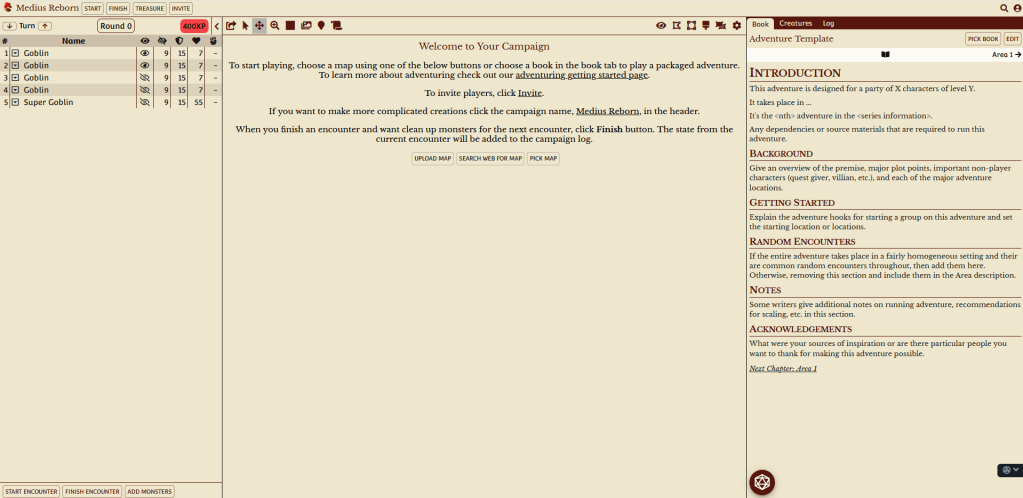
This Con is also subjective, but I really want the Combat Tracker and Book panes to be swapped on the Adventuring page. If the book contains my relevant story details, I’ll focus on that portion more often than the Combat Tracker, especially during social or exploration portions of the game. Because I read a page from left-to-right, I find my gaze constantly wandering to the Tracker, which is usually blank. Even in combat, the Book pane also contains the Creature tab, which I need to roll attacks, perform spells, or use special features.
This ends up making me feel like the page is fighting with my reading style, which is a feeling I don’t often experience in a user interface. Oddly enough, the Library page has the Book pane on the left and the map on the right, which is a more natural style for me.
4) No Dynamic Lighting
My last Con for Shard is the lack of a feature I could honestly give or take, but your situation may differ. While Shard does have Fog of War, it currently lacks the Dynamic Lighting feature popularized by Roll20 and Astral. As of this writing, I have no insight into whether or not Dynamic Lighting will be included in Shard later in development.
Conclusion
I absolutely love Shard, and will be introducing it to my D&D group in the near future for potential adoption. A good VTT not only provides a space to play the game, but actively works to make it easier for you to play. Shard Tabletop exemplifies that belief.
It’s not a perfect system, and we still have no idea what the final product will look like or cost. But, I could already see myself moving away from Roll20 if Shard keeps all of these features at a $5 price point. Anything more is just gravy.
One feature I didn’t discuss in depth is Shard’s partnership with Underground Oracle (UO), a 3rd-party developer of D&D 5e content. I didn’t experiment with UO’s content for my research, but joining Shard now gives you access to a plethora of new subclasses, a new race/ancestry called the Marabu, and so much more. Of course, it’s all built into the Shard Character Sheets, so why not give them a try yourself?
Until next time,
Matthew Wulf
Want to stay up to date with the latest happenings on Critical Hit Guru? Click the Follow button and type the email address you want to receive notifications for new posts!
We’re now on Twitter and Facebook! Search for @CriticalHitGuru on Twitter and the Critical Hit Guru page on Facebook to chat, ask questions, or just stay in the loop.
I’m Dungeon Master’s Guild official! For a thrilling military-themed heist all about saving a captured comrade, check out Rescue at Brightwell today.
 Amethyst Wulf Games